HomeBookkeeping & Invoice+Quote Generation

Quotes and invoices.
Done in under a minute.

Stop. Watch this video.It’s crucial.

Must watch2 min

If you believe getting paid shouldn’t take a spreadsheet and a calculator.

For small businesses that quote and invoice every week.

And struggle with:

  • Invoices sent days late
  • VAT worked out by hand
  • Not knowing who owes you

That causes you to:

  • Get paid later than you should
  • Lose your evenings to admin
  • Risk a query from SARS

While you could be:

  • Sending SARS-ready invoices
  • Turning quotes into invoices in one click
  • Seeing who owes you at a glance
The fix

We have the fix for you.

Real documents. In your brand. Made by the app itself: your colours, your layout, VAT worked out to the cent.

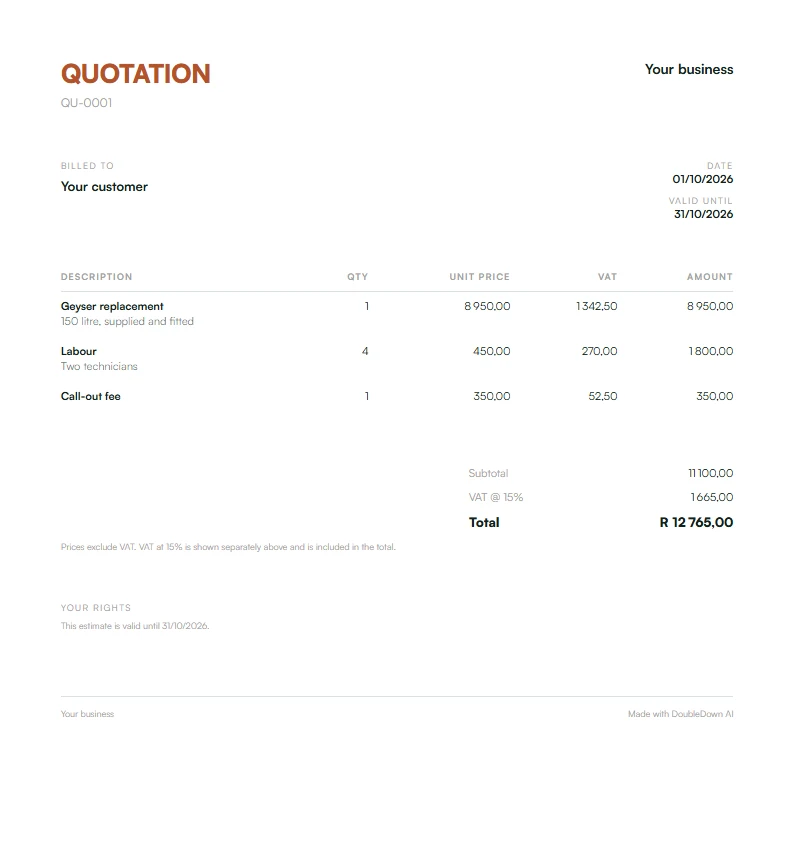
  • Made by the app
    An example quotation in the Modern layout, with VAT at 15% and a total.

    QuotationModern layout

    • Ready in under a minute VAT worked out to the cent.
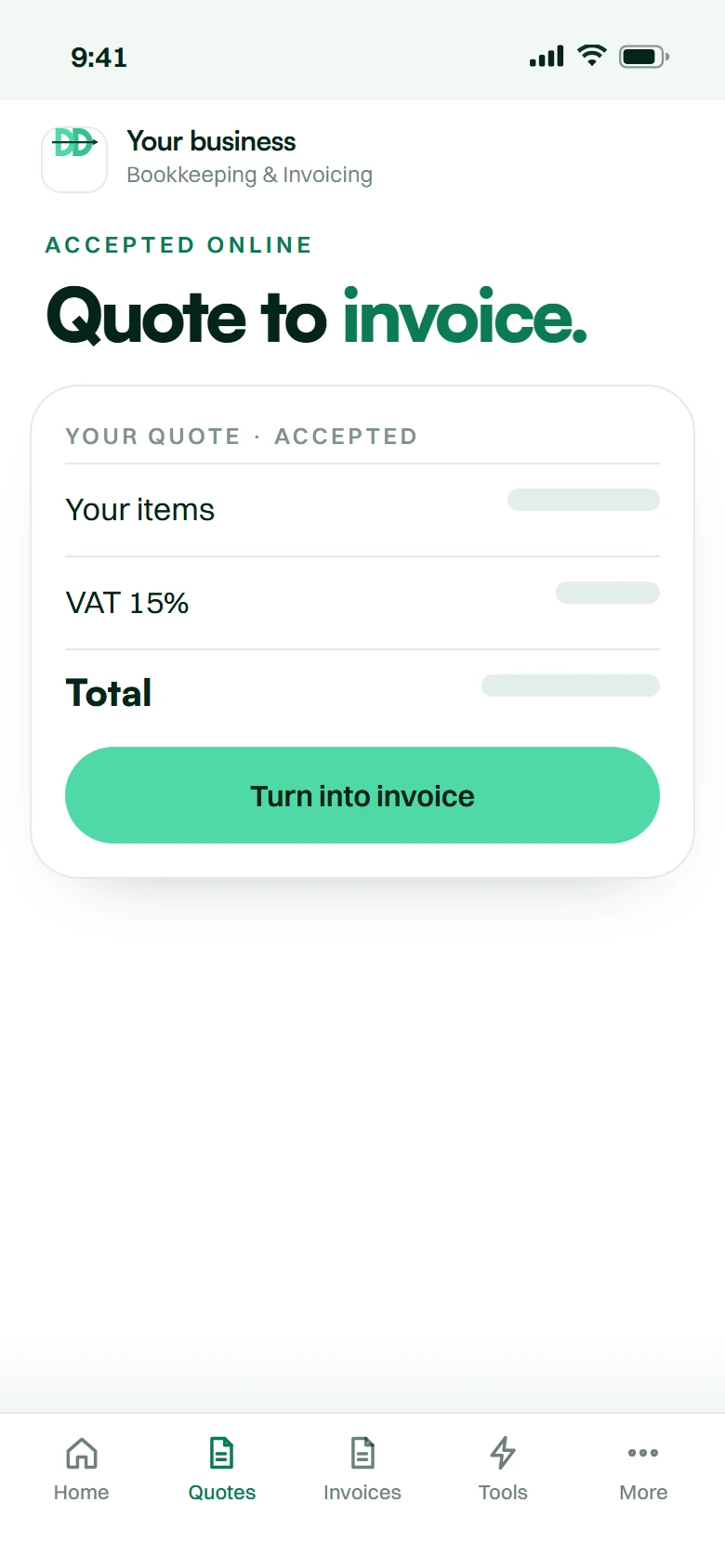
    • Accepted online One click, and it becomes the invoice.
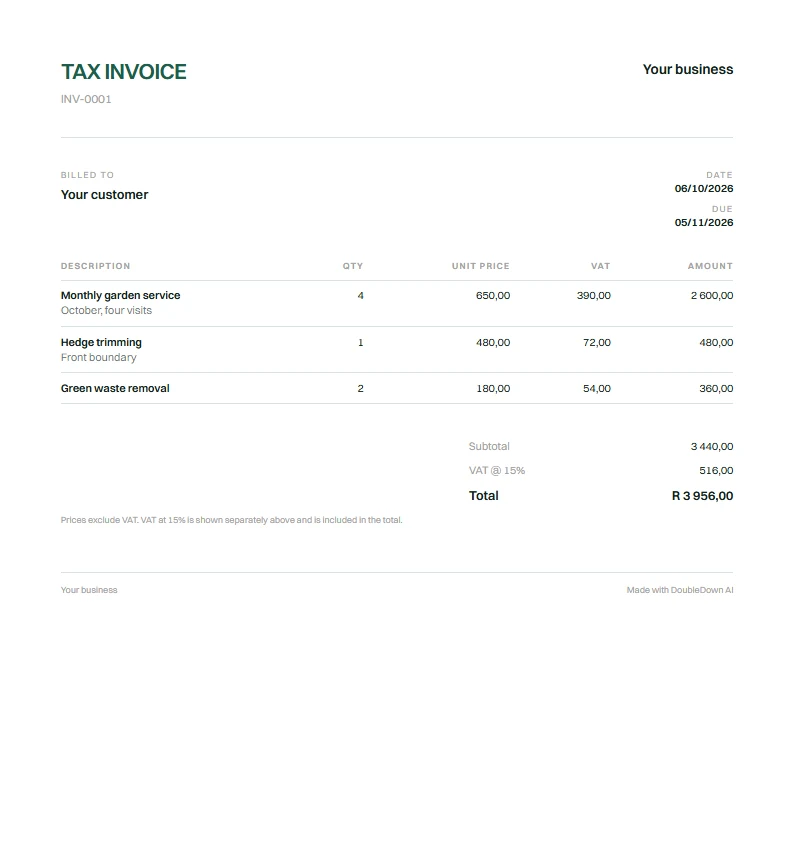
  • Made by the app
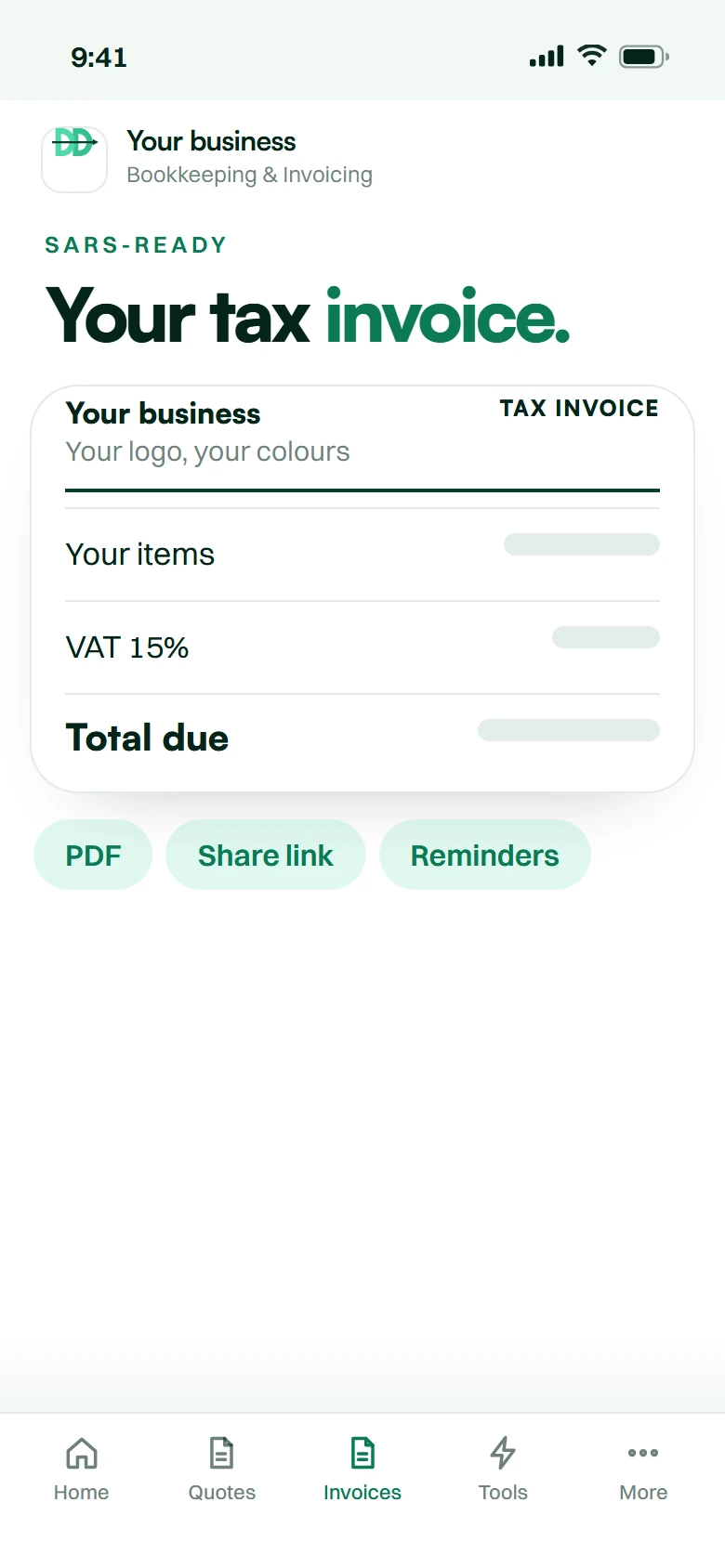
    An example tax invoice in the Classic layout, with VAT at 15% and the amount due.

    Tax invoiceClassic layout

    • SARS-ready and locked Numbered with no gaps, never edited after issue.
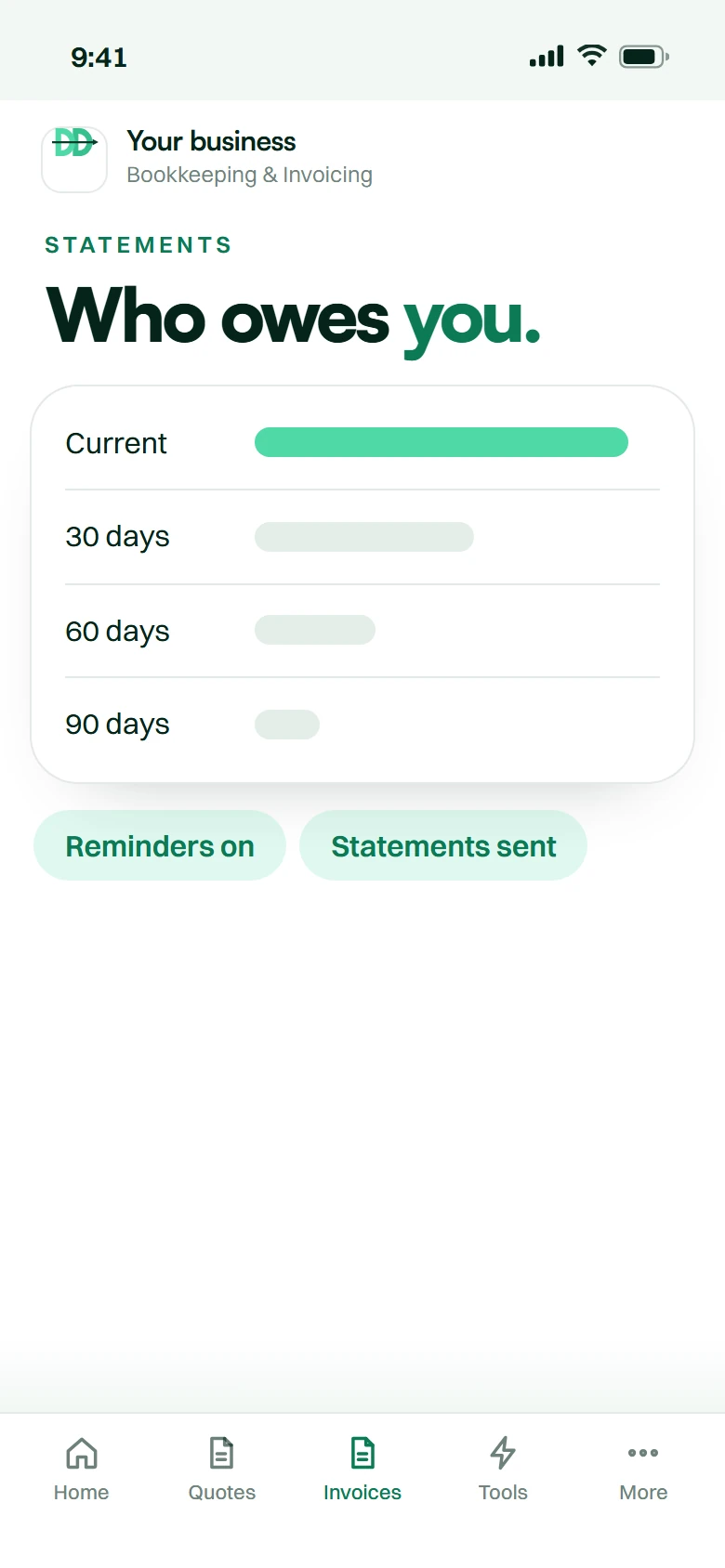
    • You see who owes you Statements with 30, 60 and 90‑day ageing.
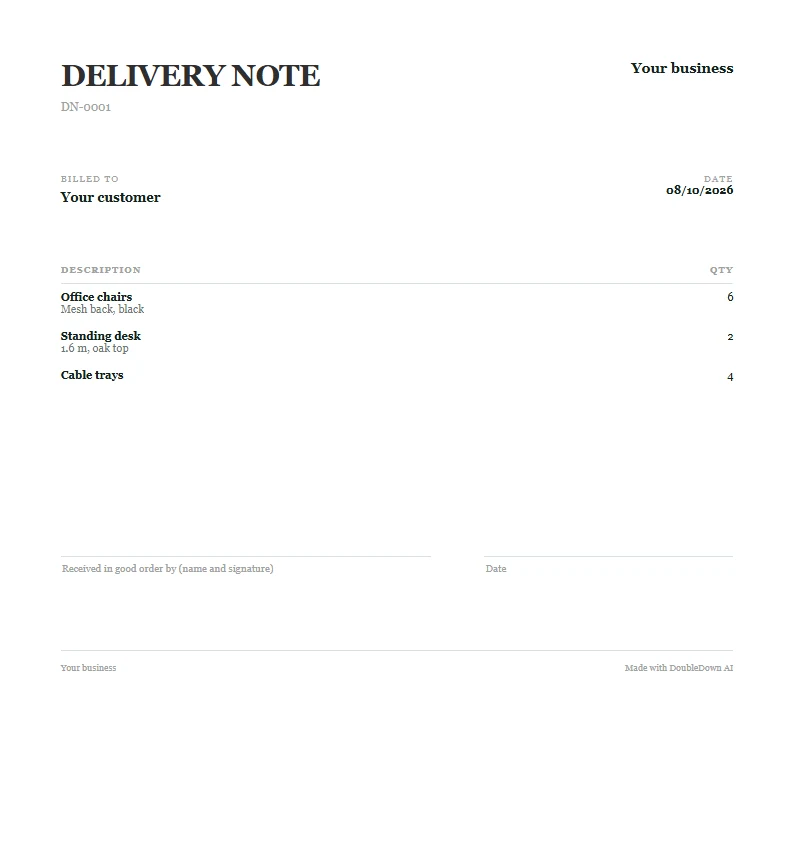
  • Made by the app
    An example delivery note in the Letterhead layout, listing the goods and no prices.

    Delivery noteLetterhead layout

    • The goods, no prices The right copy to travel with the delivery.
    • Signed for on delivery A line for your customer’s signature.

Free trial: 7 days and 20 quotes/invoices. No card, one per business.

30 minutes to liveNo contractsPOPIA-aligned
The offer

Invoiced in a minute.
Paid sooner.

  1. Sign upMinute 0
  2. We set it upMinutes 1–20
  3. You send your first invoiceMinute 30

Any time, any day, weekends and public holidays included.

Compare every plan
Everything you get
  • SARS-ready tax invoices, VAT to the cent
  • Quotes your customers accept online
  • An accepted quote becomes the invoice
  • Statements with 30/60/90 ageing
  • Payment reminders (automatic from Intermediate)
  • Pay-now buttons from Intermediate up
  • No setup fee, month-to-month
Your price Your instant quote. A few quick questions, then your plan and your price.
  1. 12 hours20% off your first month
  2. 24 hours10% off your first month

Month-to-month. Cancel anytime. No contracts.

  1. What you get

    Everything you get.

    Quotes, tax invoices and statements, with the VAT worked out for you.

  2. 01

    Quotes to invoices.

    Your customer accepts the quote online. It becomes the tax invoice in one tap.

    • Online acceptance
    • Quote to invoice
    • VAT to the cent
  3. 02

    Know who owes you.

    No more chasing payments from memory or a spreadsheet.

    • Late payments
    • Chasing by hand
  4. 03

    The tools, built in.

    SARS-ready tax invoices in your own brand, statements with ageing, and reminders.

    • Your branding
    • Statements
    • Reminders
  5. 04

    Get paid, stay connected.

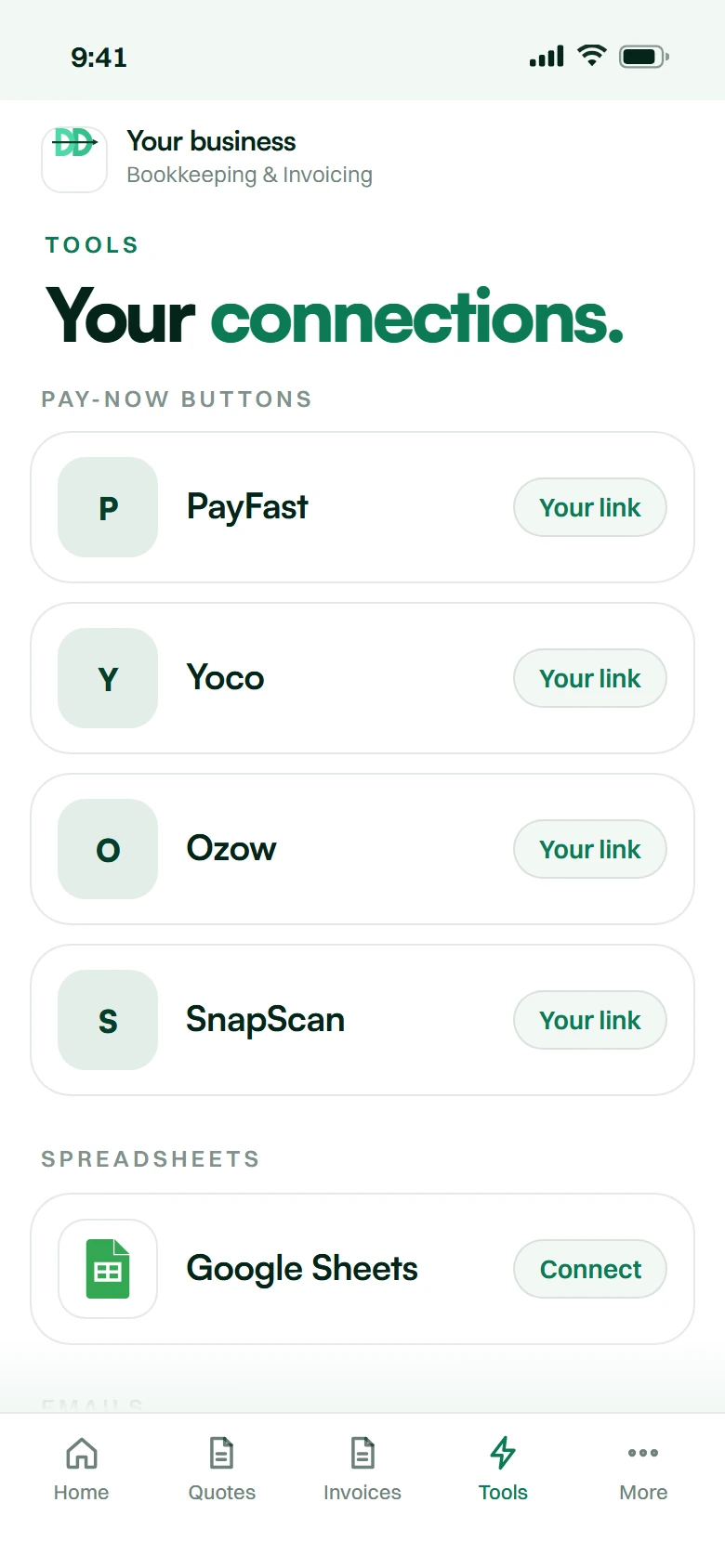
    A pay-now button with your own PayFast, Yoco, Ozow or SnapScan link, and your tools connected.

    • Pay-now buttonsFrom Intermediate
    • Google Sheets
    • Emails
    • Alerts
  6. 05

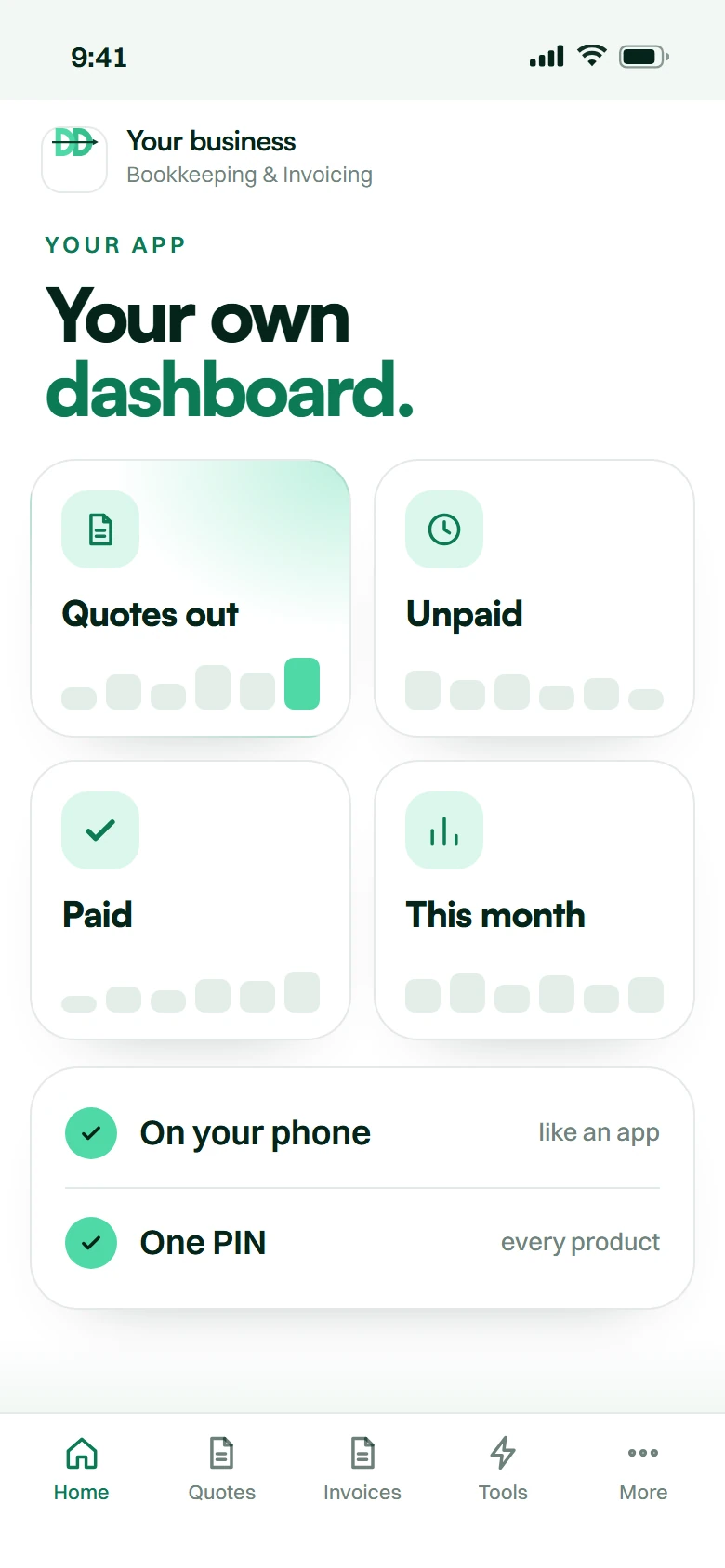
    Your own dashboard app.

    Quotes out, what is unpaid and what came in, on your phone.

    • Quotes
    • Unpaid
    • On your phone
  7. 06

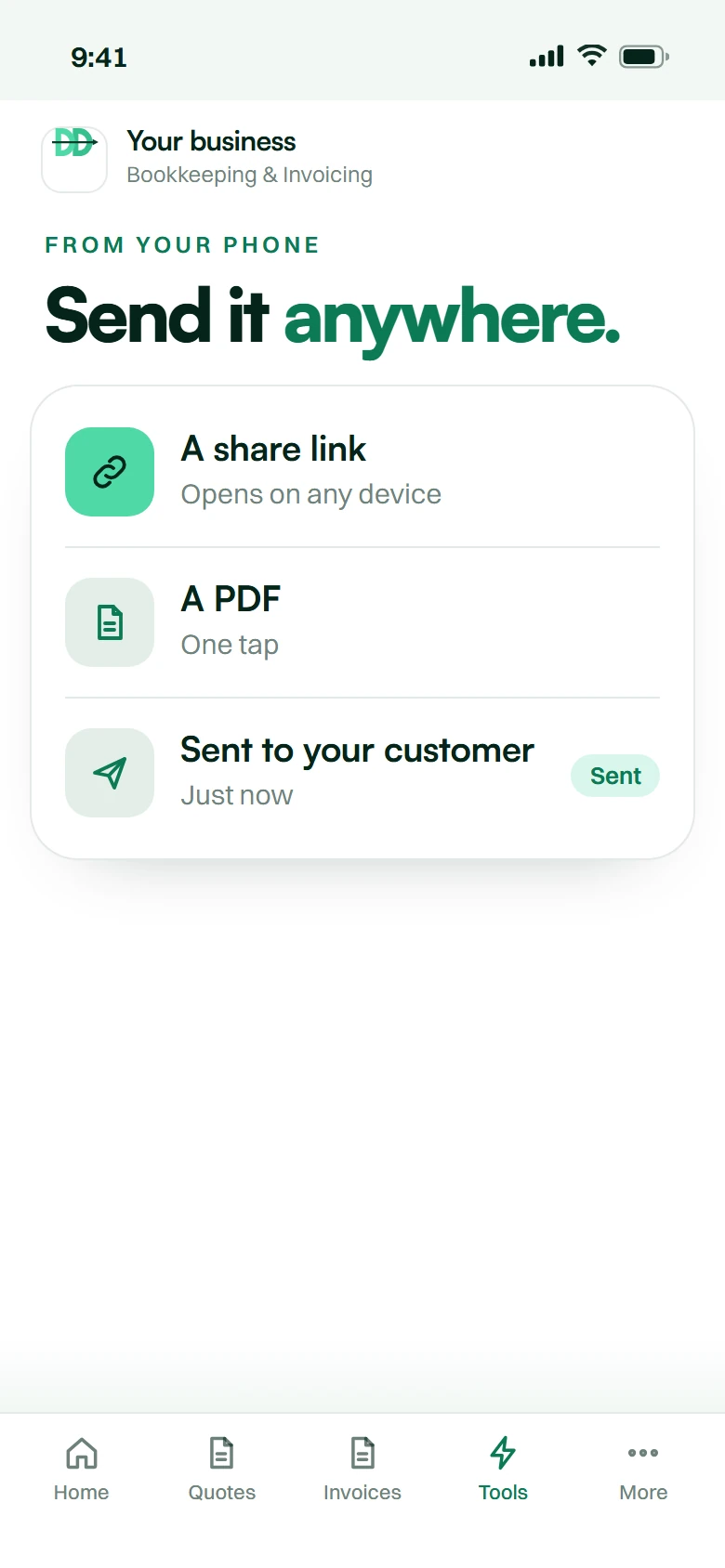
    Send it from your phone.

    Send a quote between jobs. Your customer opens it on any device.

    • Share link
    • PDF
    • Any device

    Shown: an example of your app.

How it goes live

Thirty minutes.
Not two weeks.

Live in 30 minutes, any time, any day, weekends and public holidays included.

  1. 01 Minute 0

    Sign up

    Open Get started on this page, pick your plan, sign the agreement and pay your first month — there is no setup fee.

  2. 02 Minute 1–20

    We build it

    Set up for your business from your sign-up answers — automatically, while you wait.

  3. 03 Minute 20–30

    You review

    It lands in your dashboard. Test it, and change the settings and the wording from your phone.

  4. 04 Minute 30

    Live

    Switch it on. Then we monitor, update and scale with you.

What is invoicing and quotation software?

Invoicing and quotation software issues a SARS-ready tax invoice in under a minute, works VAT to the cent, turns an accepted quote into an invoice, and tracks who owes you.

Bookkeeping & invoicing
answered.

No setup fee — the only product we sell that has none, so checkout takes your first month and nothing else. No contract. Minimum, Intermediate and Pro differ by the monthly document allowance: a few quick questions under the video give you your plan and your exact price on the spot, with 20% off your first month if you sign up within 12 hours (10% within 24 hours), and our pricing page sets out each one. Full accounting suites such as Sage, Xero and QuickBooks do more, and usually price per user and per company.

Under section 20(4) of the VAT Act a full tax invoice must show the words "Tax Invoice", "VAT Invoice" or "Invoice"; your name, address and VAT registration number; the customer's name and address, plus their VAT number where the supply exceeds the prescribed threshold; a serial number and the date of issue; a description of the goods or services; the quantity or volume; and the value, the VAT charged and the total — either separately or with a statement that VAT is included at the applicable rate. Every document this app produces carries all of it. This is not tax advice.

A quote is an offer to supply at a stated price, usually valid for a stated period, and it creates no obligation to pay. An invoice is a demand for payment for goods or services supplied, and a tax invoice from a VAT vendor carries specific legal content requirements. In this app a quote becomes an invoice in one tap, keeping the same line items and reference so the trail is unbroken.

A quote is generally an offer rather than a contract — it becomes binding once the customer accepts it on the stated terms and within the stated validity period. That is exactly why every quote should carry a validity date and clear terms, and why acceptance should be recorded. The app does both and timestamps the acceptance.

Only if you are a registered VAT vendor. Registration is compulsory once your taxable supplies exceed the prescribed annual threshold in any twelve-month period (check the current figure with SARS) — and voluntary registration is possible above a lower threshold. If you are not registered you must not charge VAT or issue a document calling itself a tax invoice. The app handles both cases and will not let you issue a VAT invoice without a VAT number captured. Confirm your own position with your accountant.

To add VAT to an exclusive amount, multiply by 1.15. To extract VAT from an inclusive amount, multiply by 15 and divide by 115 — not by 15%, which is the most common error and the one that leaves a few cents wrong on every line. The app works it to the cent on every line and on the total, and handles zero-rated and exempt items separately.

Records supporting a tax return generally have to be kept for five years from the date the return was submitted, and longer where an assessment is under objection or audit. Every document you issue is retained with its history and is exportable, so a five-year-old invoice is a search rather than an archaeology project.

To correct or reverse an invoice that has already been issued. You do not delete an issued invoice — your numbering sequence has to stay unbroken for SARS. A credit note references the original, adjusts the VAT correctly, and leaves a clean audit trail. The app generates it and links the two documents.

Not from inside the app — the system sends by email. What every document does carry is a share link the customer can open in a browser, so if WhatsApp is where your customer lives you paste that link into the chat yourself. The PDF and the link both carry your logo, your colours and your banking details.

A view of every unpaid invoice grouped by how overdue it is — current, 30, 60, 90 and 120-plus days. It is the single most useful report a small business has and almost nobody builds it by hand. It updates as payments come in, and automatic payment reminders are driven off it.

No, and be careful of anything that says it does. It produces compliant documents and keeps the records tidy, which makes your accountant's job faster and cheaper. It works out payroll and lays out your ITR14, ITR12 or TT03 field by field, but it does not file anything with SARS or do annual financial statements, and the general ledger and trial balance come only on the Pro plan. Your accountant exports everything they need in one click.

No. It installs on a phone, tablet or desktop like an app, but it needs a data connection to create, save or send a document. Everything you issue is stored online, so nothing lives only on the device.

The Minimum tier covers 150 documents a month, Intermediate 1,000 and Pro 6,000, where a document is an issued quote or invoice. At the limit you cannot issue another quote or invoice that month until you move up a tier; everything already issued stays readable, printable and exportable.

Your records live in a managed database that the app only reaches over an encrypted connection (HTTPS). Everyone signs in with their own login and sees only what their role allows, and we never sell your data. Handling follows POPIA principles and you can export everything at any time. Month to month, no contract, cancel at the end of a paid month — and you take your data with you.

Short version: the free tools stop where your business starts, and the accounting suites start where your budget stops.

What this is, and what it is not

This is invoicing software and quotation software in one place: quote a customer, and when they say yes, convert quote to invoice in one tap without retyping a line. Some people call it billing software, some call it bookkeeping software, some search for an invoice generator or an estimate tool. It also does the part nobody enjoys — debtors management, so you know who owes you what without building a spreadsheet.

What it is not is full accounting software. Its payroll covers the basics (PAYE, UIF, SDL and ETI from SARS’s own tables, payslips and your EMP201 figures, including the medical aid and retirement contributions the business pays), not company cars or other fringe benefits, travel allowances or tax directives, and the general ledger and trial balance come only on the Pro plan. If you need more payroll than that or a full accounting suite, Sage, Xero and QuickBooks are the right answer and we will say so. What most small South African businesses actually need is to send a proper quote, turn it into a proper invoice, and chase the ones that have not paid.

What must appear on a South African tax invoice

This is the question that makes people nervous, so here is the answer. Under section 20(4) of the VAT Act, a full tax invoice from a VAT vendor must show: the words "Tax Invoice", "VAT Invoice" or "Invoice"; your name, address and VAT registration number; the customer's name and address, and their VAT number where the supply exceeds the prescribed threshold; a serial number and the date; a description of the goods or services; the quantity or volume; and the value, the VAT charged and the total — either shown separately or with a statement that VAT is included at the applicable rate.

Miss one and SARS can disallow your customer's input claim, which is how a small formatting habit becomes an awkward phone call. Every document this produces carries all of it, numbered in an unbroken sequence, with VAT worked to the cent at the current rate. We are not your accountant and this is not tax advice — but these are the SARS tax invoice requirements and they are checkable.

Quotes, credit notes and the documents in between

A quote is not an invoice and the difference matters legally as well as practically. A proforma invoice is a request for payment before supply and is not a tax invoice — it does not entitle anybody to claim input VAT. A credit note is how you correct or reverse an invoice properly; deleting the original is not an option once it has been issued, because your numbering has to stay unbroken for SARS.

The app produces all of them: quotes with validity periods and acceptance tracking, tax invoices, proformas, credit notes, deposit invoices with the balance carried forward, and a statement of account at month end. It knows which is which so you do not have to.

Getting paid, which is the actual job

Sending the invoice was never the hard part. The app runs an age analysis so you can see at a glance who is 30, 60 and 90 days late. On every plan you can send a reminder on a late invoice; from Intermediate the reminders go out automatically once you switch them on, and instead of matching every proof of payment by hand, you import your bank statement and the payments are matched to the open invoices.

Recurring invoice runs handle retainer and subscription clients on their own each month. Every document goes out by email as a link your customer opens in any browser, and you can paste the same link into WhatsApp yourself if that is where your customer lives — a branded invoice with my logo, your colours and your banking details either way. When your accountant asks, you export invoices to excel and hand over the lot. It installs on your phone like an app, so it is one tap away on a customer's driveway; it needs a data connection to save and send.

What it costs

No setup fee — the only product we sell with none, so checkout takes your first month and nothing else. No contract. The tiers are Minimum, Intermediate and Pro, priced on documents per month, and the table above sets out each allowance.

Two honest comparisons. Against Sage, Xero and QuickBooks, which usually price per user and per company: we do less — basic payroll only, and the ledger only on Pro. Against the genuinely free invoicing software in South Africa: free is fine, and if you send six invoices a month you should use it. It stops being fine when you need recurring runs, a real document history, an age analysis and something SARS-defensible five years later. That is the gap we sit in, and it is why the cheapest invoicing software in South Africa that is still a proper system is worth having.

It suits invoicing for freelancers, sole proprietors, trades and small professional firms. We work remotely from Vanderbijlpark with clients in Johannesburg, Cape Town and Durban. It pairs naturally with a website chatbot that captures the enquiry the quote comes from.

Invoicing and bookkeeping software by city: Johannesburg · Pretoria · Cape Town · Durban · Port Elizabeth · Bloemfontein · East London · Vanderbijlpark

Free tools and guides: VAT calculator · Free invoice generator · Tax invoice requirements · Quotation software · All free tools and guides

The honest comparison

Three ways to solve this.
Here is all three.

No brand names and no competitor prices — those go stale and we would be quoting somebody else’s numbers. This is the shape of each option.

Doing it yourself, an overseas platform, or DoubleDown AI — compared for Bookkeeping & Invoice+Quote Generation
Doing it yourselfAn overseas platformDoubleDown AI
What it costsYour team's timeTypically billed in US dollarsMonth to month, billed in rands
How it startsA spreadsheet, and VAT worked out by handYou configure the platform yourselfWe build it, trained on your business
Time to liveHowever long it keeps takingDays of setup, done by you30 minutes, any time
South African languagesWhatever your staff speakRarely tuned for South African phrasingEnglish and Afrikaans; others best-effort
POPIAYour responsibilityUsually governed by foreign lawAligned by design, data in your account
SupportNobody to callOverseas time zone, usually emailSouth African hours, on WhatsApp
CommitmentNone, and no system eitherAnnual plans are commonMonth-to-month. Cancel anytime. No contracts.

Let’s double
down.

Month-to-month. Cancel anytime. No contracts.

Innovate.
Automate.
Dominate.