HomeBooking Systems

Your online booking system.
Open while you sleep.

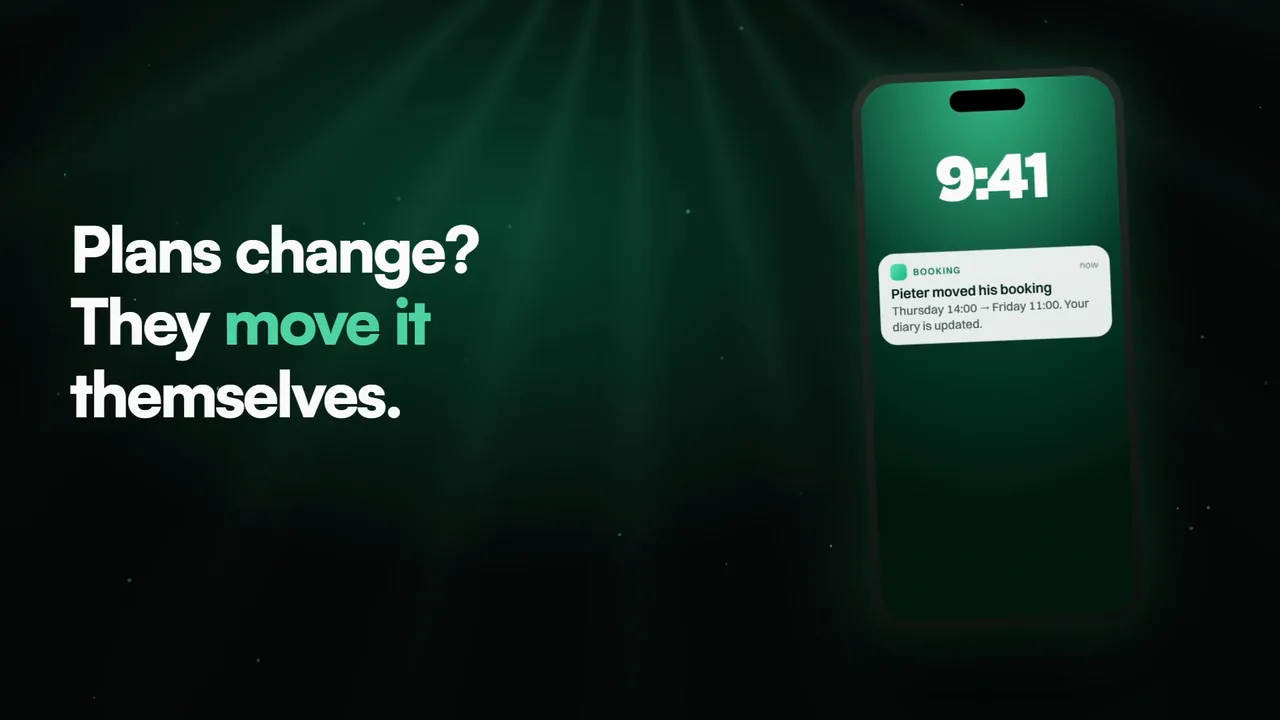
Stop. Watch this video.It’s crucial.

Must watch1 min

If you believe booking with you should take a minute, not a phone call.

For businesses that run on appointments.

And struggle with:

  • Calls you can’t take mid-job
  • Booking requests after hours
  • No-shows with no warning

That causes you to:

  • Lose bookings to whoever answers
  • Lose money on empty slots
  • Lose hours on the phone

While you could be:

  • Letting customers book themselves
  • Sending reminders on their own
  • Keeping every booking in one place
The fix

We have the fix for you.

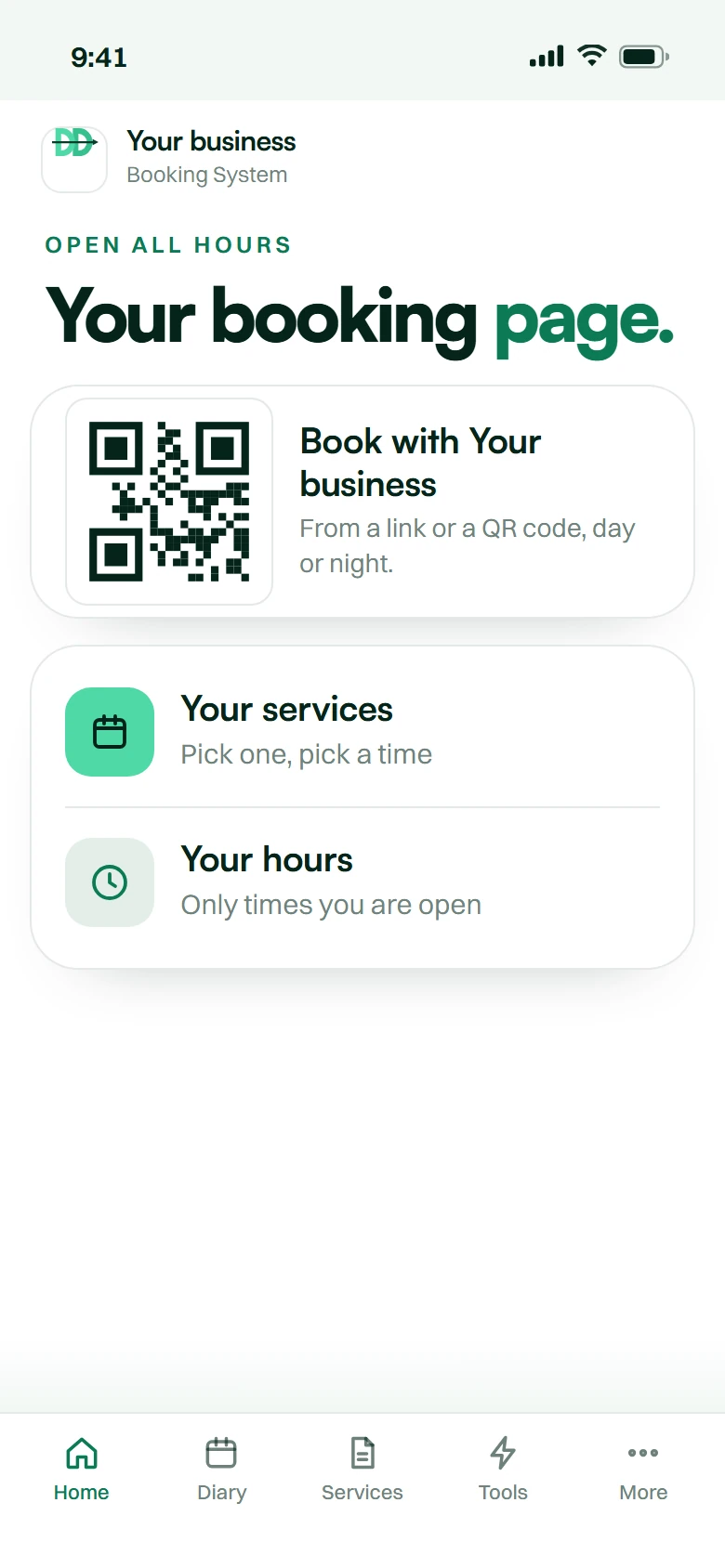
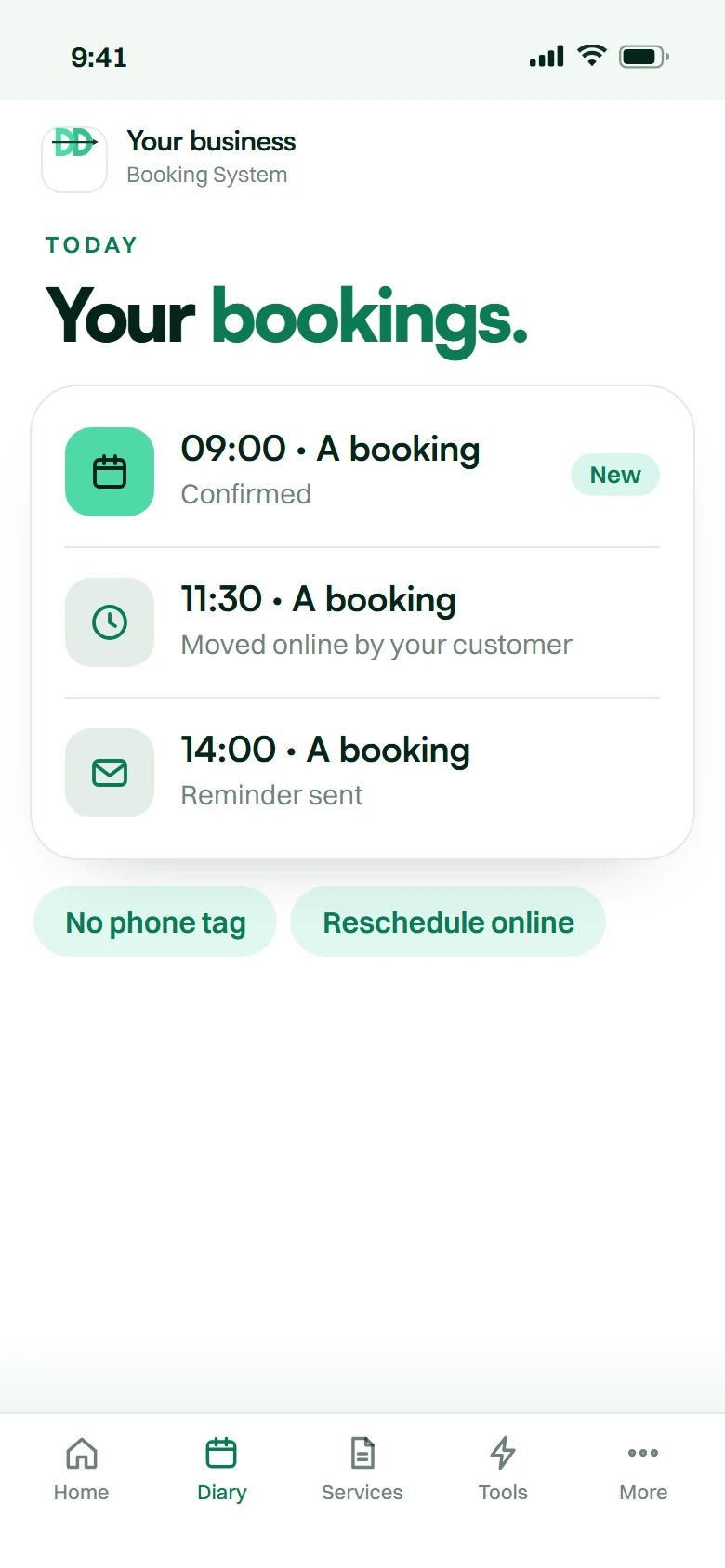
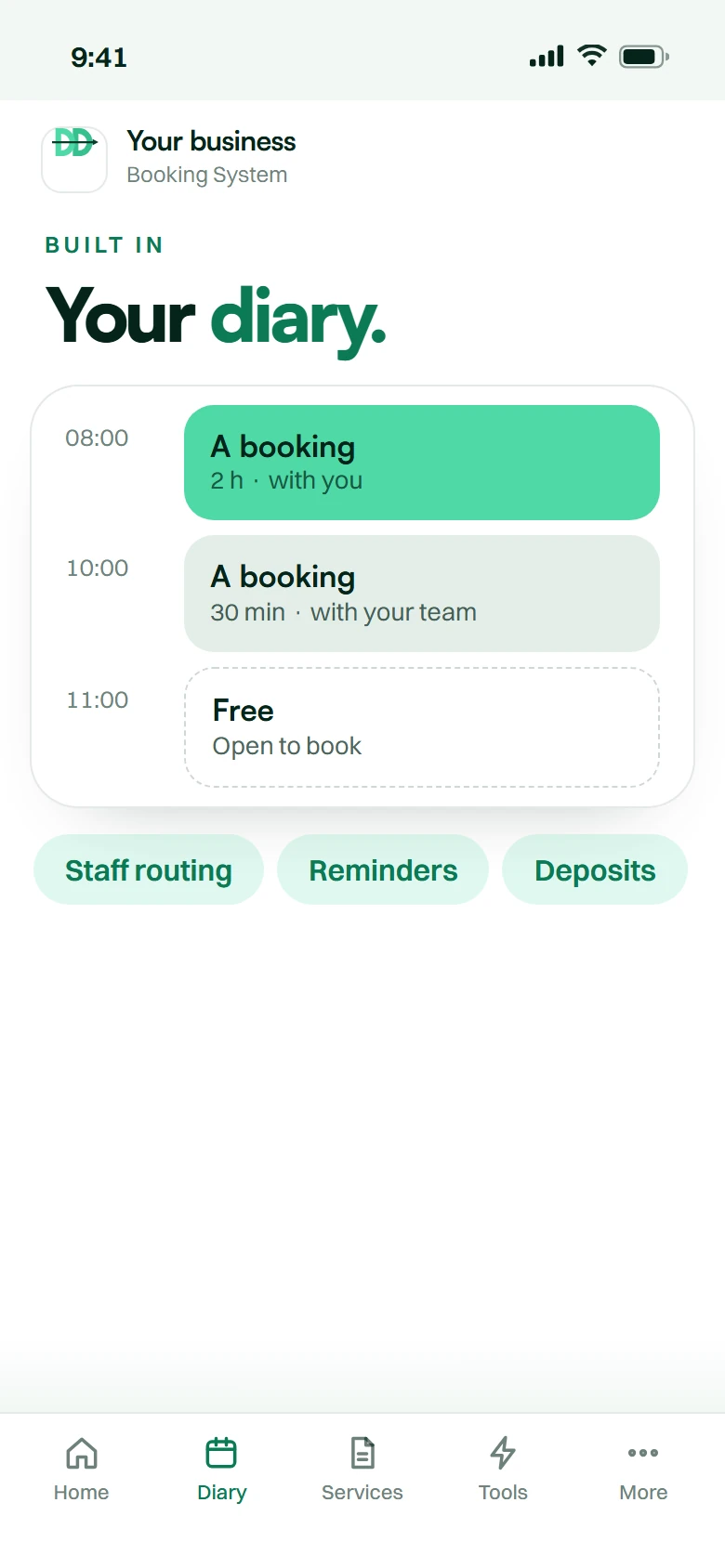
Real bookings. In your diary. The actual Booking System app, shown with example data: your diary, the services customers can book, and every customer remembered. Shown with example data.

  • Real app screen
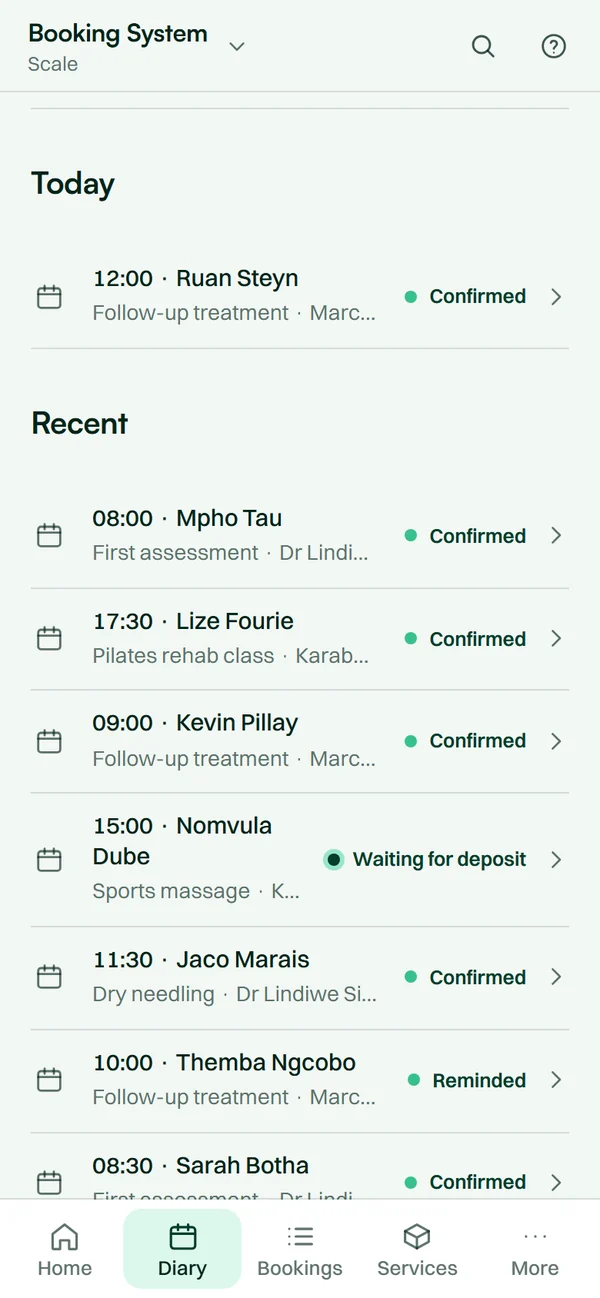
    The Booking System app on a phone: today’s bookings with times, services and their status.

    Your diaryEvery booking in one place

    • Every booking in one place Today, this week and what is next.
    • In your own calendar As a Google, Outlook or Apple invite.
  • Real app screen
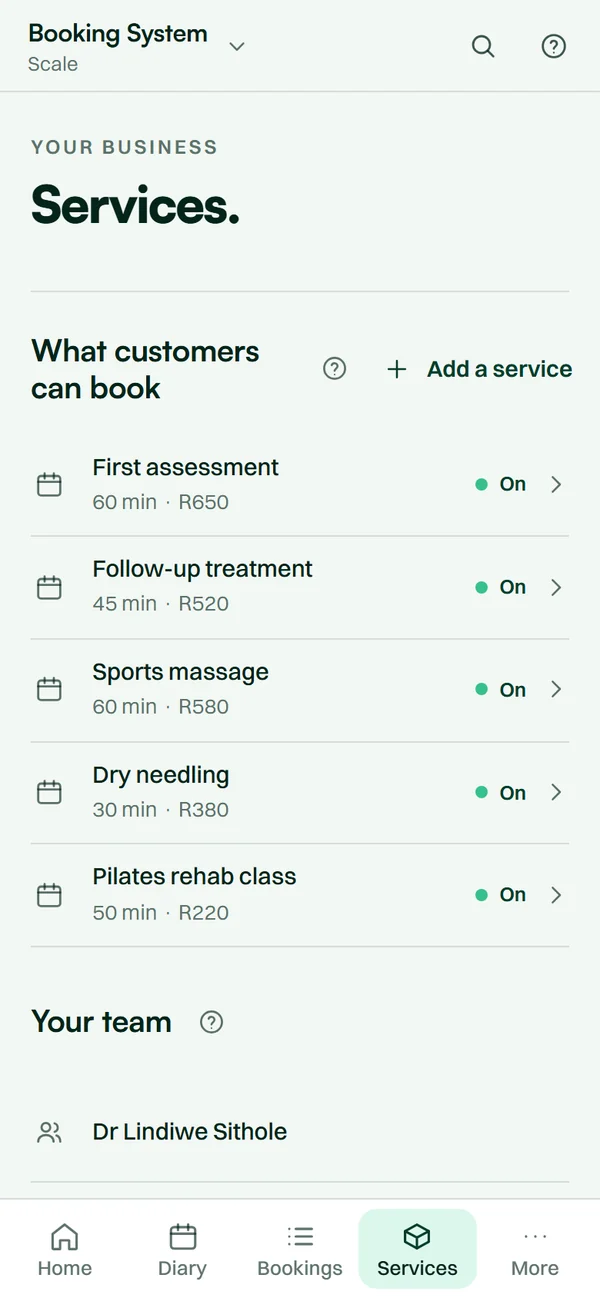
    The Booking System app on a phone: the services customers can book, with times and prices.

    ServicesWhat customers can book

    • Customers book themselves Any hour, from one booking link.
    • Your services, your times Each with its own length and price.
  • Real app screen
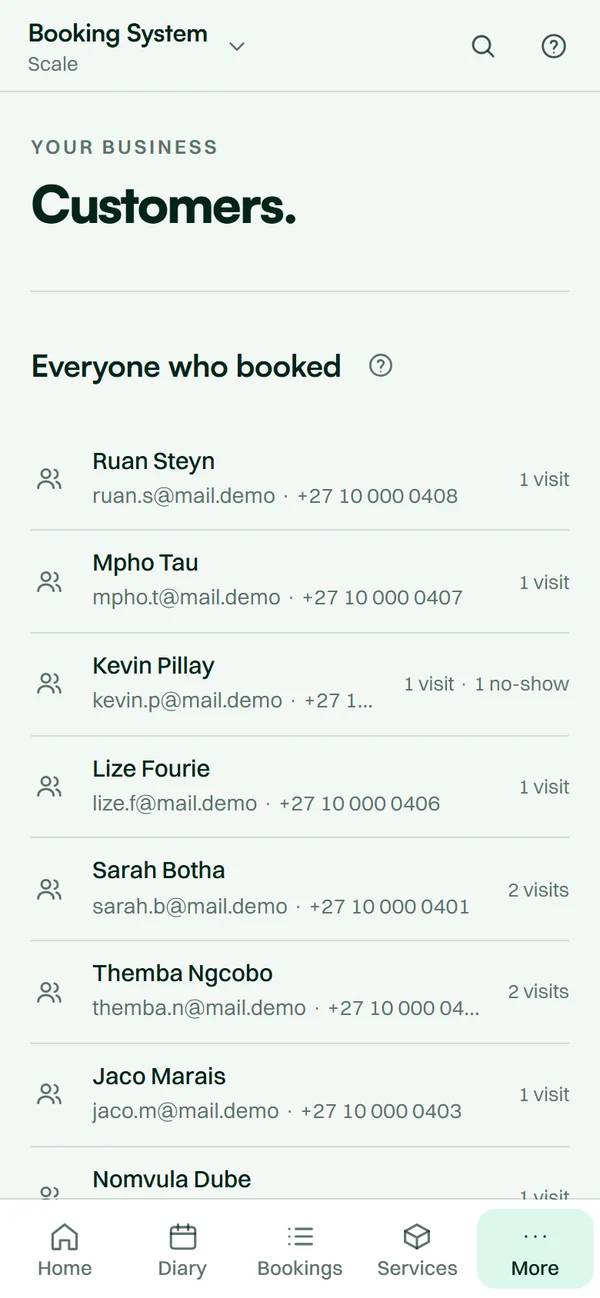
    The Booking System app on a phone: customers built from bookings, with their visits counted.

    CustomersRemembered from bookings

    • Every customer remembered Built from their bookings, visits counted.
    • Reminders go out on their own By email, before the booking.
30 minutes to liveNo contractsPOPIA-aligned
The offer

Booked, deposited,
reminded. Without you.

  1. Sign upMinute 0
  2. We build itMinutes 1–20
  3. You switch it onMinute 30

Any time, any day, weekends and public holidays included.

Compare every plan
Everything you get
  • Book by QR code or link
  • Customers book themselves, any hour
  • Deposit or full payment through PayFast
  • A calendar invite with every booking
  • Email reminders sent on their own
  • Customers cancel from a link
Your price Your instant quote. A few quick questions, then your plan and your price.
  1. 12 hours20% off your setup and first month
  2. 24 hours10% off your setup and first month

Month-to-month. Cancel anytime. No contracts.

  1. What you get

    Everything you get.

    A booking page that fills your diary, any hour, and an app to run it.

  2. 01

    Booked any hour.

    Customers book themselves from a link or a QR code, day or night.

    • Booking link
    • QR code
    • 24/7
  3. 02

    No more phone tag.

    No back-and-forth to find a time. Customers move or cancel their own booking online.

    • Phone tag
    • Missed calls
  4. 03

    The tools, built in.

    Your services and hours, staff routing, reminders before every booking, and deposits.

    • Services and hours
    • Staff routing
    • Reminders
    • Deposits
  5. 04

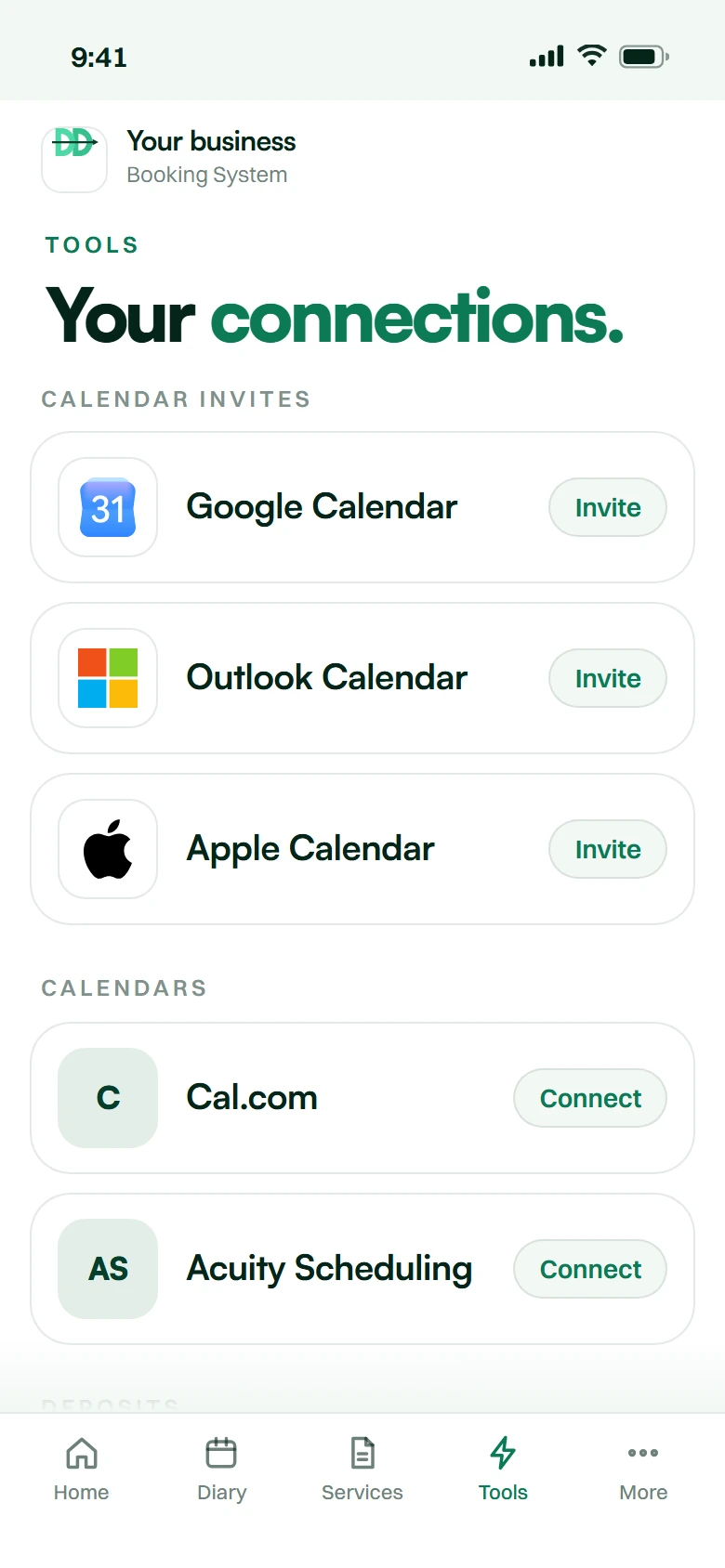
    Connects to your calendar.

    An invite for Google, Outlook or Apple with every booking, deposits through PayFast or SnapScan, and your tools connected.

    • Calendars
    • Deposits
    • CRMs
    • SMS
  6. 05

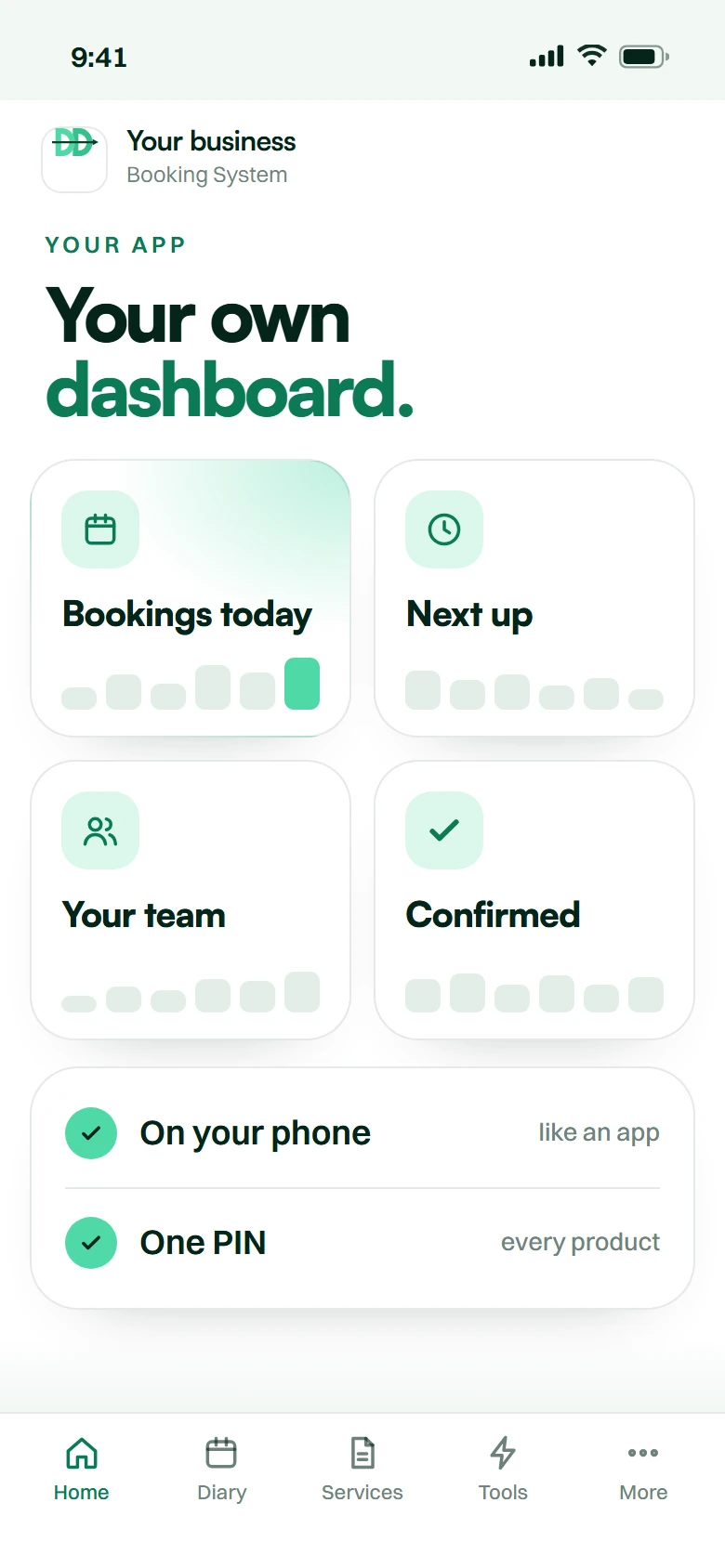
    Your own dashboard app.

    Today’s bookings and who is next, on your phone.

    • Today
    • Next up
    • On your phone
  7. 06

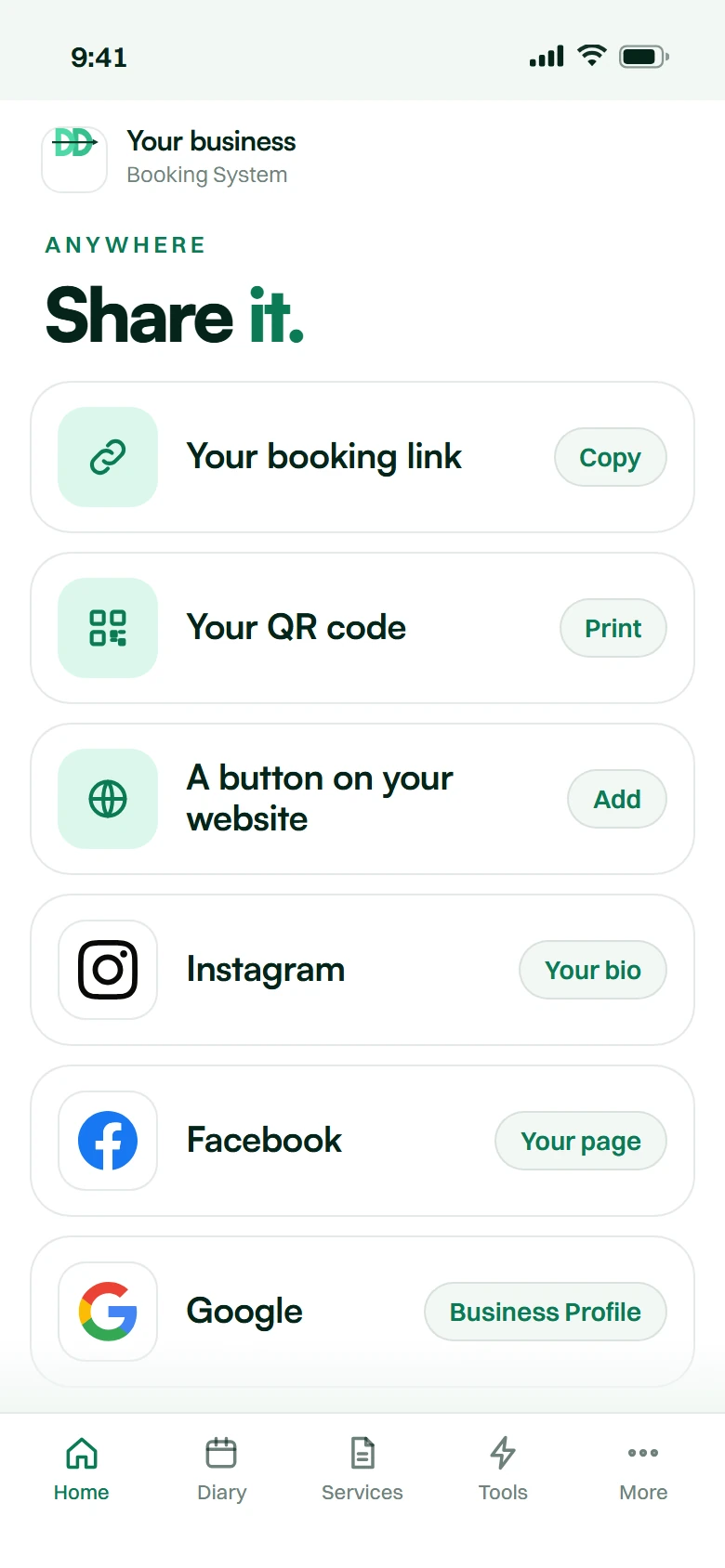
    Share it anywhere.

    Your booking page on a link, a QR code, your bio or a button on your website.

    • A link
    • A QR code
    • Your website
How it goes live

Thirty minutes.
Not two weeks.

Live in 30 minutes, any time, any day, weekends and public holidays included.

  1. 01 Minute 0

    Sign up

    Open Get started on this page, pick your plan, sign the agreement and pay setup plus your first month in one go.

  2. 02 Minute 1–20

    We build it

    Set up for your business from your sign-up answers — automatically, while you wait.

  3. 03 Minute 20–30

    You review

    It lands in your dashboard. Test it, and change the settings and the wording from your phone.

  4. 04 Minute 30

    Live

    Switch it on. Then we monitor, update and scale with you.

What is an online booking system?

An online booking system lets customers book themselves on any device at any hour, then sends the reminders and takes the PayFast deposit, so your diary holds.

Booking Systems
answered.

Ours is priced on your monthly bookings and staff: one payment at checkout covers the setup fee and your first month, then it is monthly, with no contract and no commission on bookings or deposits ever. Answer a few quick questions under the video and you get your plan and your exact price on the spot, with 20% off your setup and first month if you sign up within 12 hours (10% within 24 hours). For context, there are free booking calendars in this market and local options from around R299 a month. If all you need is a page where customers pick a slot, take one of those. Ours adds PayFast deposits, automatic reminders and calendar invites, with no commission on any booking.

A free calendar gives you a page. Ours gives you the page plus the parts that stop no-shows: a PayFast deposit straight into your own account, email reminders that go out on their own, a calendar invite with every booking, and a cancel link so nobody has to phone you. There is no commission on any booking.

Yes, through PayFast, as a fixed amount or a percentage, per service. Industry research reports that a ten to twenty percent deposit cuts no-shows by roughly forty to sixty percent. You set which services require one and the cancellation window under which it is retained, and the system enforces it so nobody on your team has to argue about it.

Three things, all built in: a deposit at booking, automated email reminders the day before and two hours before, and a cancel link in every email, so a customer who cannot come frees the slot instead of simply not arriving.

Yes, and with Outlook and Apple. Every booking is emailed as a real calendar invite, so it lands in the diary you already use and a cancellation takes it back out. Paste your calendar’s ICS link and the time you block out there — leave, a school run, a supplier meeting — stops customers booking over it, as soon as your calendar publishes the change.

Yes. The booking link stands on its own — put it in your Instagram bio, on your Google Business Profile or on a Facebook page and customers book straight from there. If you do have a website, link to it from your menu or a Book button. Print the same link as a QR code for the counter, the van or a flyer, and it sends a calendar invite with every booking and reads busy times back from Google or Outlook, so it fits the tools you already use — one diary underneath, however they reach it.

Yes. Every confirmation and reminder carries a link to cancel, and a link back to your booking page to pick another time — no phone call, no back-and-forth. Self-service rescheduling is the single cheapest no-show reduction there is.

Yes. Multi-staff scheduling with individual working hours, services, buffers between appointments, leave and daily limits. Customers can book a specific person or take the first available.

Never. Whether you take ten bookings a month or a thousand, the monthly is the monthly. Marketplace platforms that look cheaper often take a cut of every booking or of the deposit, which at volume costs far more than a subscription.

They cannot. Availability is held at the calendar level and checked at the moment of confirmation, so a slot that has just been taken is not offered again on the booking link. Double bookings are prevented rather than discovered.

Of course. You add them to the same calendar and availability updates everywhere instantly. This is designed to absorb the after-hours and overflow enquiries you are currently losing, not to stop you answering the phone.

Not yet: the booking page, reminders and confirmations are in English today. Your service names and descriptions show in whatever language you write them.

We build to POPIA principles: appointment data is not shared or sold, and you can ask us to export or delete a customer’s records at any time.

The build takes 30 minutes, any time, any day. We import existing future bookings from a spreadsheet or a calendar export so your diary is not split across two systems on day one.

Short version: the booking is lost in the ten minutes between the question and the calendar, and that is the part we fix.

What this is, in whichever word your industry uses

An online booking system lets customers book themselves, on any device, at any hour. Depending on your trade you call it appointment scheduling software, booking software, a reservation system, diary management, or a calendar booking link. Restaurants say reservations, physios say diary, consultants say calendar link, salons say bookings. Same engine.

Ours is a booking page with its own link, put wherever your customers already find you, backed by deposits, reminders and a calendar invite for every booking. It gives you true self service booking, and it keeps taking bookings at night.

Be honest: there are free booking systems, and they are good

Fresha is free for salons. Zolmi has a free tier. GetMeBooked is around R299 a month with PayFast deposits and SMS reminders. If what you need is a page where customers pick a slot, take one of those — genuinely. We would rather say it here than take a month's money from somebody we do not fit.

Here is what makes this different from a free calendar: the deposit goes straight into your own PayFast account, reminders and calendar invites go out on their own, customers cancel from a link without phoning you, and there is no commission on any booking.

The no-show problem, which is the one that actually costs money

Industry research reports that a deposit of ten to twenty percent cuts no-shows by roughly forty to sixty percent, and one South African figure puts a single healthcare practitioner's losses at about R1,725 a day on a conservative R750 appointment value. Those are third-party figures, not our measurement — but they match what every owner already feels.

So how to reduce no shows: take a booking deposit at the point of booking through PayFast, send automated appointment reminders by email at the intervals that actually work, publish a cancellation policy the system enforces so nobody has to have that conversation, and let customers cancel from a link and book another time themselves — because a rescheduled slot is recoverable and a no-show is not. Double booking is prevented at the calendar level rather than caught afterwards.

Where the bookings come from

Your booking link is the difference. It works on its own from your website, an Instagram bio, a Google Business Profile or a QR code on the counter, and every route lands in the same diary with real availability and real prices.

Every booking arrives as a real calendar invite in the diary you already use — Google, Outlook or Apple — and a cancellation removes it again. Connect your calendar’s ICS link and the time you block out there stops customers booking over it, so it is not a second diary to check. Multi staff availability and individual working hours are handled, and it takes bookings 24/7.

What it costs

Your price follows your bookings and staff: a few quick questions give you your plan and your exact price on the spot, and one payment at checkout covers the setup fee and your first month. Month to month, no contract. And it is commission free: we never take a cut of a booking or a deposit, however many you take. Marketplace platforms that look cheaper monthly often do not work that way.

That is more than a booking page costs, and the comparison that makes it make sense is not another calendar — it is the front desk, the after-hours enquiries nobody answered, and the empty chairs.

Customer data is handled under POPIA. We deploy remotely from Vanderbijlpark for booking system for small business clients in Johannesburg, Cape Town and Durban. It is designed to run alongside a website chatbot, which is where the conversations start.

Online booking system by city: Johannesburg · Pretoria · Cape Town · Durban · Port Elizabeth · Bloemfontein · East London · Vanderbijlpark

Free tools and guides: Salon booking system · Online booking for therapists · All free tools and guides

The honest comparison

Three ways to solve this.
Here is all three.

No brand names and no competitor prices — those go stale and we would be quoting somebody else’s numbers. This is the shape of each option.

Doing it yourself, an overseas platform, or DoubleDown AI — compared for Booking Systems
Doing it yourselfAn overseas platformDoubleDown AI
What it costsYour team's timeTypically billed in US dollarsMonth to month, billed in rands
How it startsPhone calls and a diary, during office hoursYou configure the platform yourselfWe build it, trained on your business
Time to liveHowever long it keeps takingDays of setup, done by you30 minutes, any time
South African languagesWhatever your staff speakRarely tuned for South African phrasingEnglish and Afrikaans; others best-effort
POPIAYour responsibilityUsually governed by foreign lawAligned by design, data in your account
SupportNobody to callOverseas time zone, usually emailSouth African hours, on WhatsApp
CommitmentNone, and no system eitherAnnual plans are commonMonth-to-month. Cancel anytime. No contracts.

Let’s double
down.

Month-to-month. Cancel anytime. No contracts.

Innovate.
Automate.
Dominate.